Mobile Banking Application
I developed a sleek, user-friendly Bank Android Application using Java in Android Studio, integrated with Firebase Cloud Database for secure data management. The app simplifies banking tasks, aligns with a modern, intuitive design featuring dynamic Light and Dark theme support, and promotes seamless user engagement for a diverse user base.
Visit website
Bringing it together
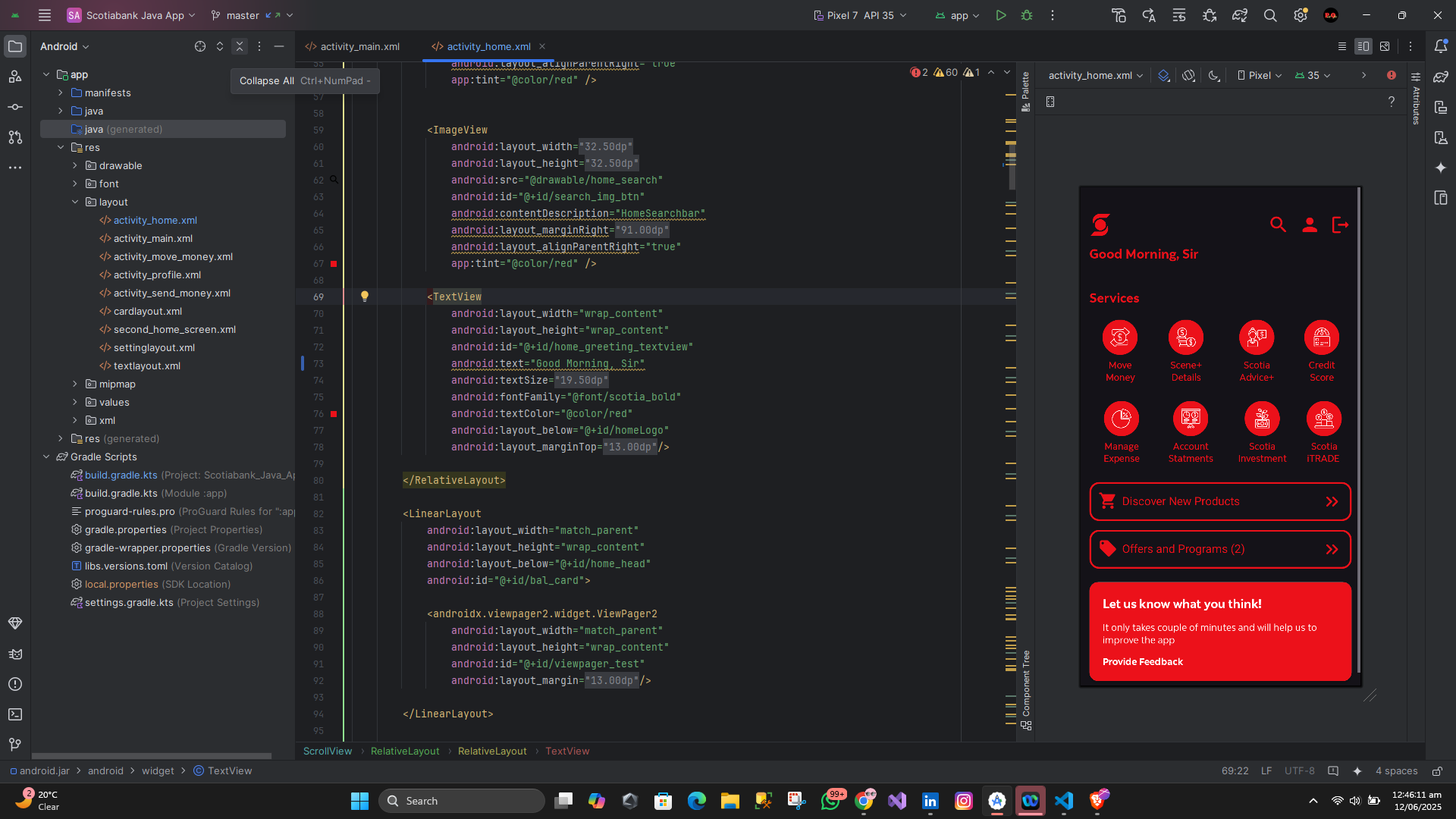
Banking users needed a secure, intuitive mobile platform to manage their finances, but many existing solutions were complex or lacked seamless performance. To address this, I built a responsive Android application using Java and Android Studio, ensuring compatibility across devices from budget smartphones to high-end models. XML layouts enabled precise control over the user interface, delivering a clean and modern design.
The backend was powered by Firebase Cloud Database for real-time data storage and retrieval, with Shared Preferences for efficient session management. Tools like Gradle and GitHub were used for build automation and version control.
♤ Persistent user sessions for seamless access.
♡ Dynamic theme switching for easy accessibility.
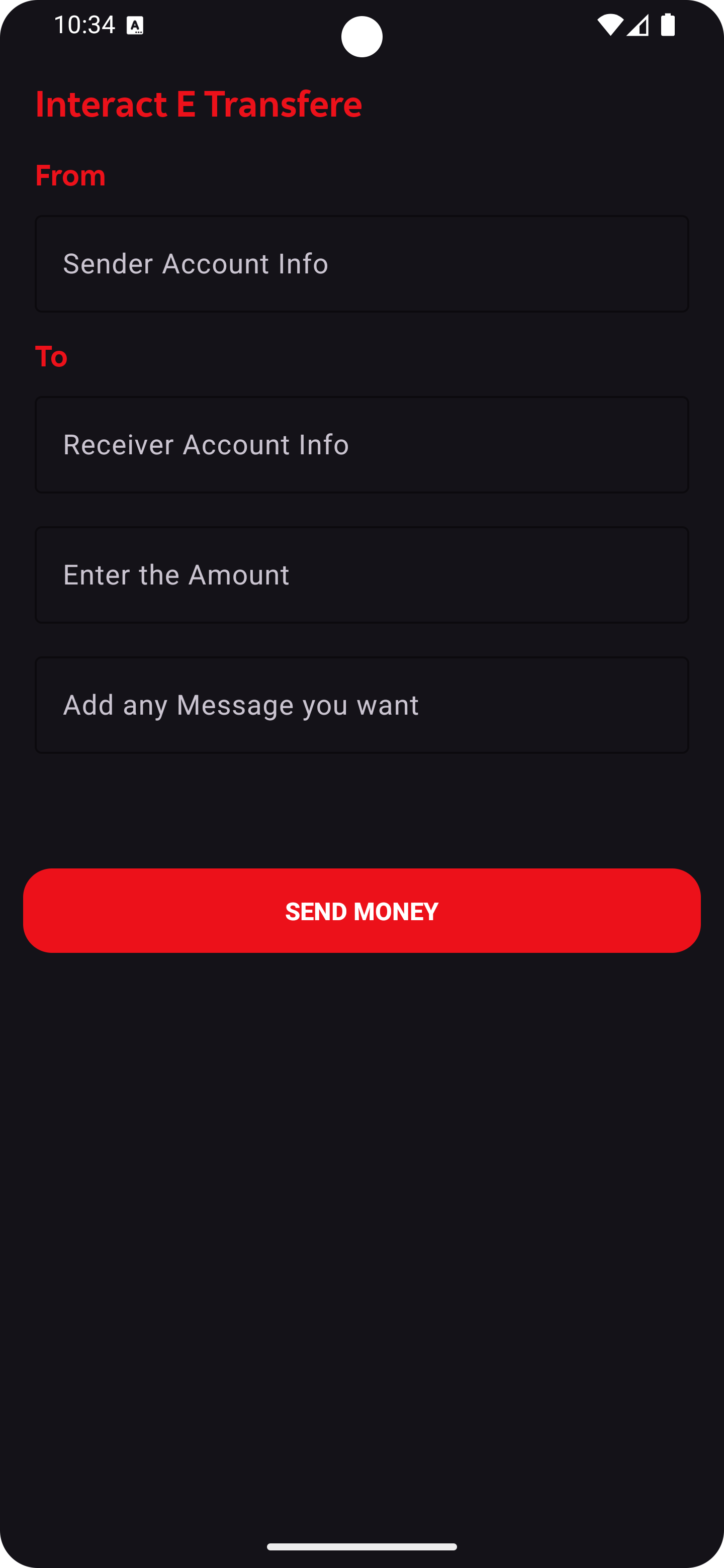
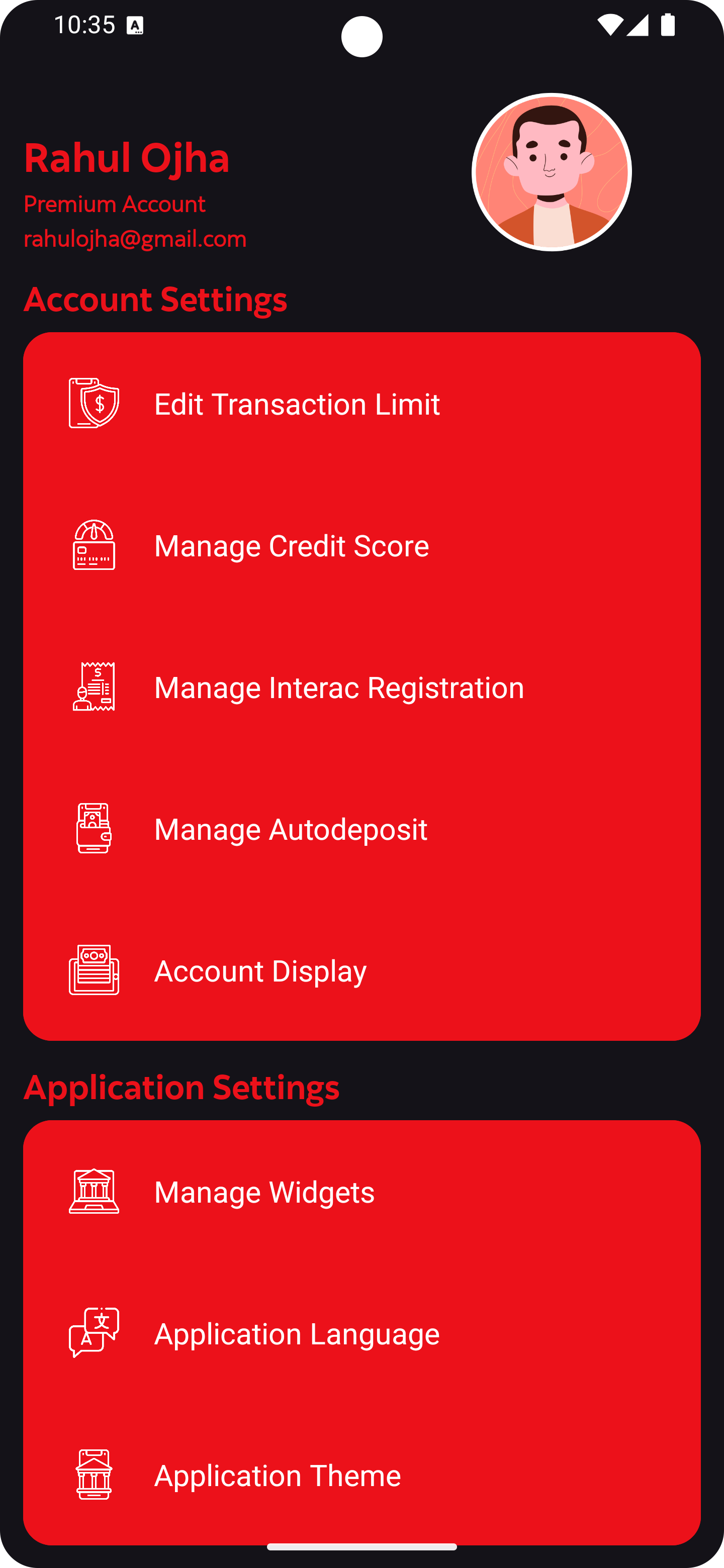
Improving the experience
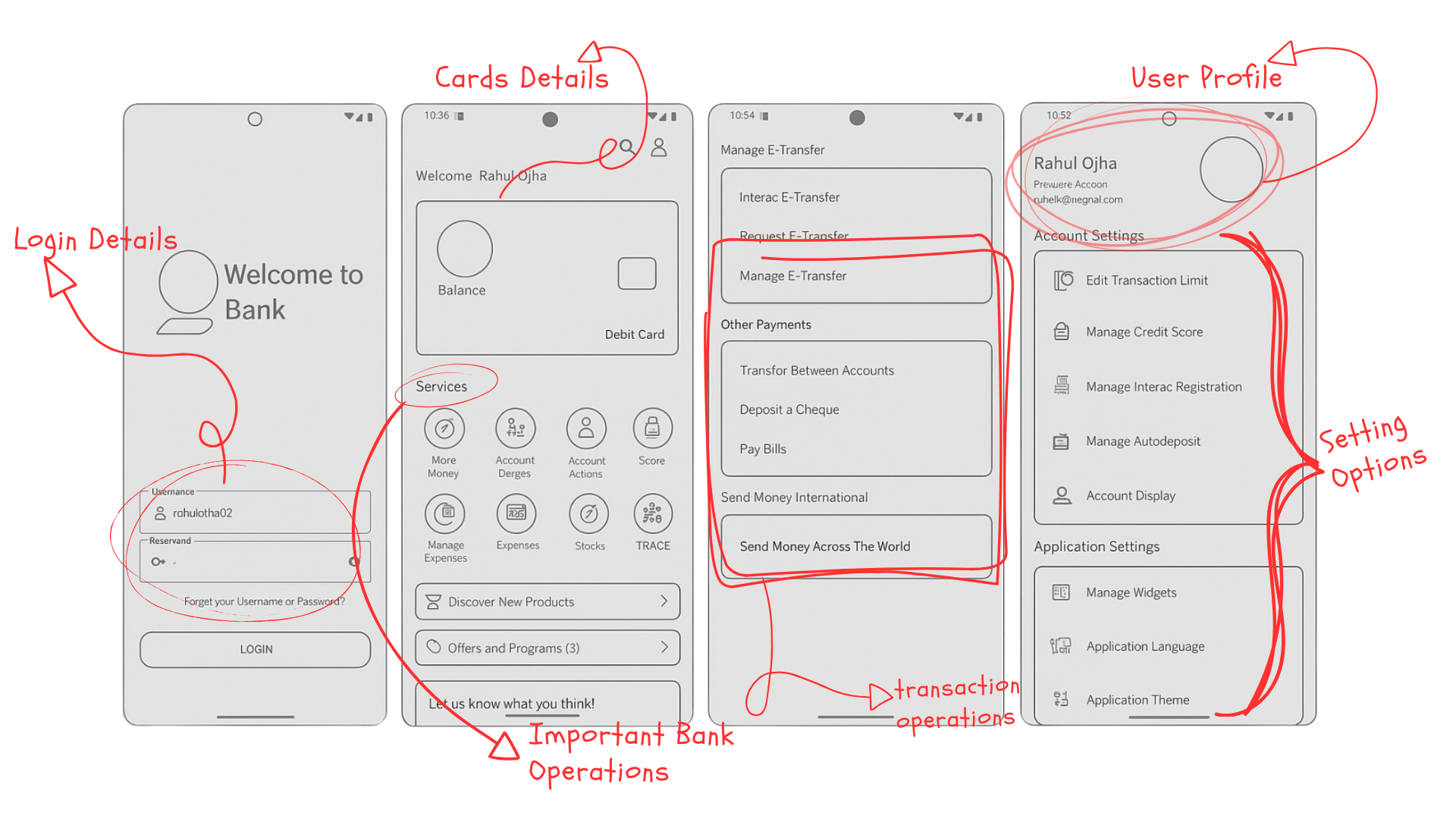
The wireframe for my Bank Android Application showcases a sleek, user-friendly design developed using Java and Kotlin in Android Studio. This blueprint highlights four key screens—Login Details, Cards Details, Transaction Operations, and User Profile with Settings Options—integrated with Firebase Cloud Database for secure data management. Featuring a modern layout with Light and Dark theme support, it ensures an intuitive and accessible banking experience across devices.
Meaningful Details
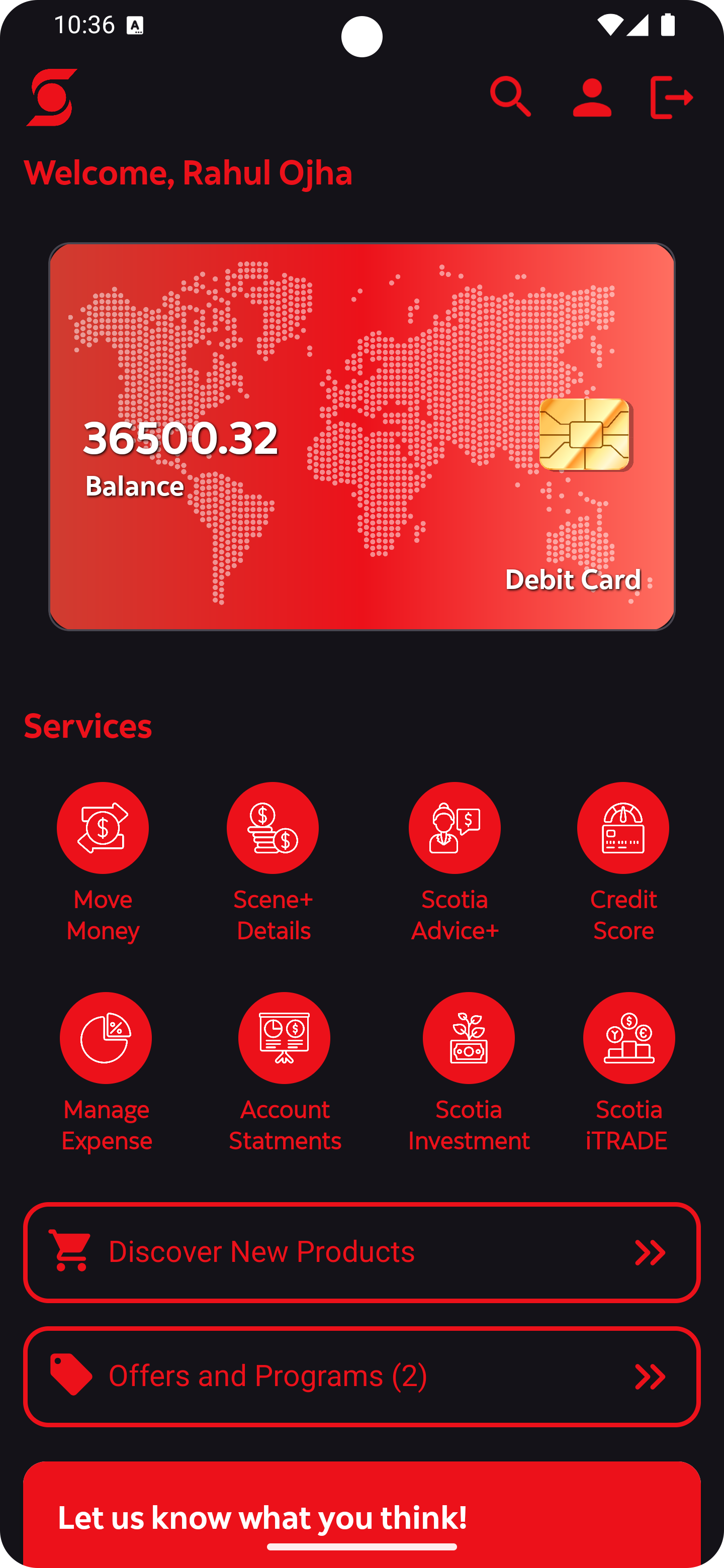
This activity displays the Cards Details screen of my Bank Android Application, built with Java in Android Studio and integrated with Firebase Cloud Database. The design, a clone of Scotiabank’s interface, features a modern dark theme with red accents, creating a user-friendly and visually appealing dashboard for logged-in users. Real-time data via Firebase keeps the balance and details current, aligning with banking app standards.
The header includes a stylized "S" logo, a personalized "Welcome, Rahul Ojha" message, and navigation icons (search, profile, logout) for quick access. The card section highlights a balance of "36500.32" on a red graphic with a world map and chip icon, symbolizing secure financial data.
The Services section offers eight icons (Move Money, Scene+ Details, Scotia Advice+, Credit Score, Manage Expense, Account Statements, Scotia Investments, Scotia iTRADE) for easy navigation. Buttons for Discover New Products and Offers and Programs (2), plus a "Let us know what you think!" banner, enhance engagement. This showcases my UI/UX and Android development skills for a portfolio.
Project outcomes
The Bank Android Application, crafted as a clone of Scotiabank’s interface, significantly enhances user engagement through its intuitive Cards Details screen, offering a seamless banking experience. The integration of Firebase Cloud Database ensures secure, real-time data management, building user trust and reliability. Personalized services, transaction options, and a feedback prompt improve usability and interaction, demonstrating my proficiency in UI/UX design and Android development, making it a strong addition to my portfolio.